
Set up your inventory so every QR code, lead, and report is tied to the right home.
Who it's for
Developers, builders, and agents who need their listings and lots organized in one place.
How it helps
Properties is where your inventory lives. Adding homes, lots, and communities first means every QR code and lead is attributed to the right place from day one.
How to set it up
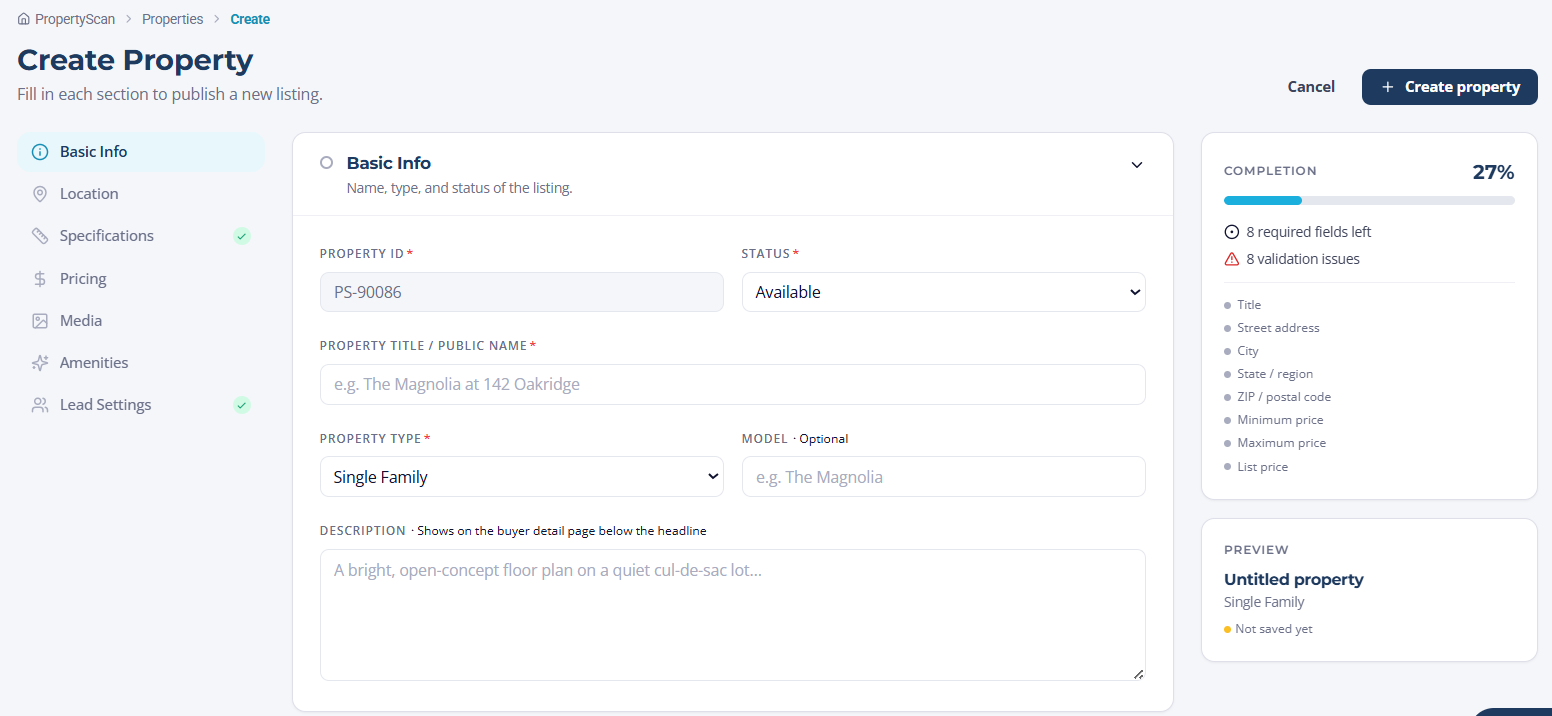
- 1Open Properties and select Add property.
- 2Choose whether you are adding a single home, a lot, or a community with multiple lots.
- 3Enter the address, details, photos, and price.
- 4Assign an owner or builder so leads route correctly.
How to use it
- 1Use bulk import to add many properties or lots at once.
- 2Update availability as homes move from available to under contract to sold.
- 3Archive listings you no longer need without losing their history.