
Generate trackable QR codes for a property, a lot, or a marketing campaign, then print and track every scan.
Who it's for
Owners and agents who want trackable codes on yard signs, lot markers, flyers, and ad campaigns.
How it helps
You can generate a unique QR code for an individual property, for a specific lot in a community, or for a marketing campaign. Because each code is unique, every scan is tied to the exact property, lot, or campaign, so your analytics and lead routing stay accurate.
How to set it up
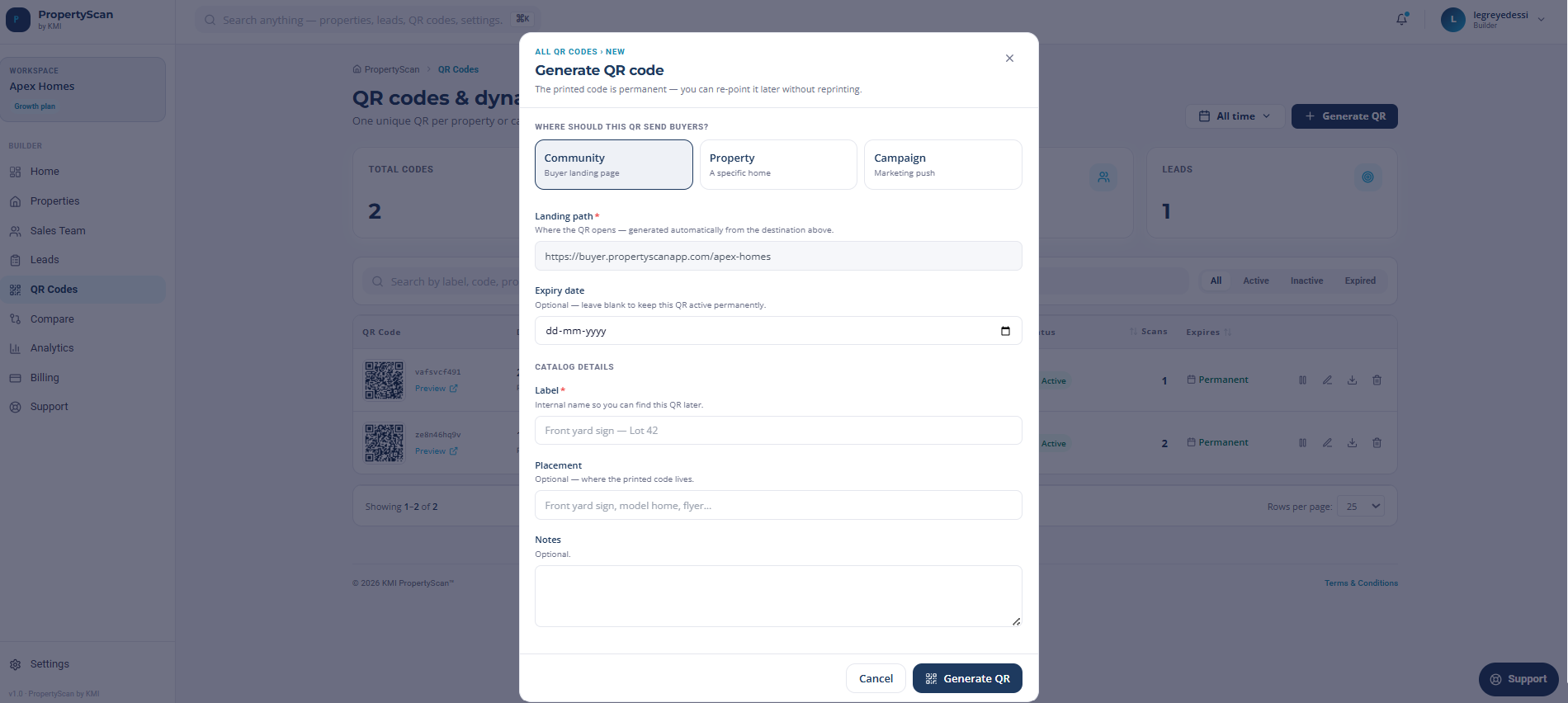
- 1Open QR Codes and select Generate code.
- 2Choose what the code is for: a property, a lot within a community, or a marketing campaign.
- 3Pick the matching property, lot, or campaign so scans are attributed correctly.
- 4Download the print-ready file and add it to your sign, marker, flyer, or ad.
How to use it
- 1Print and place the code on the sign, lot marker, flyer, or campaign asset.
- 2Open QR Codes to see live scan counts for each property, lot, and campaign.
- 3Compare campaign codes to see which marketing channels drive the most scans.
- 4Regenerate a code anytime without losing its history.