
A short overview of how PropertyScan turns yard-sign scans into tracked, routed leads, and the steps to set up your account.
Who it's for
Anyone setting up PropertyScan for the first time, whether you are a developer, builder, brokerage, or realtor.
How it helps
PropertyScan connects a physical yard sign to a digital buyer experience. Each scan is captured, attributed to the right property, lot, or campaign, and routed to the right person, so no walk-up buyer is ever lost. You get a single place to manage inventory, generate trackable QR codes, capture leads, and measure what is working.
How to set it up
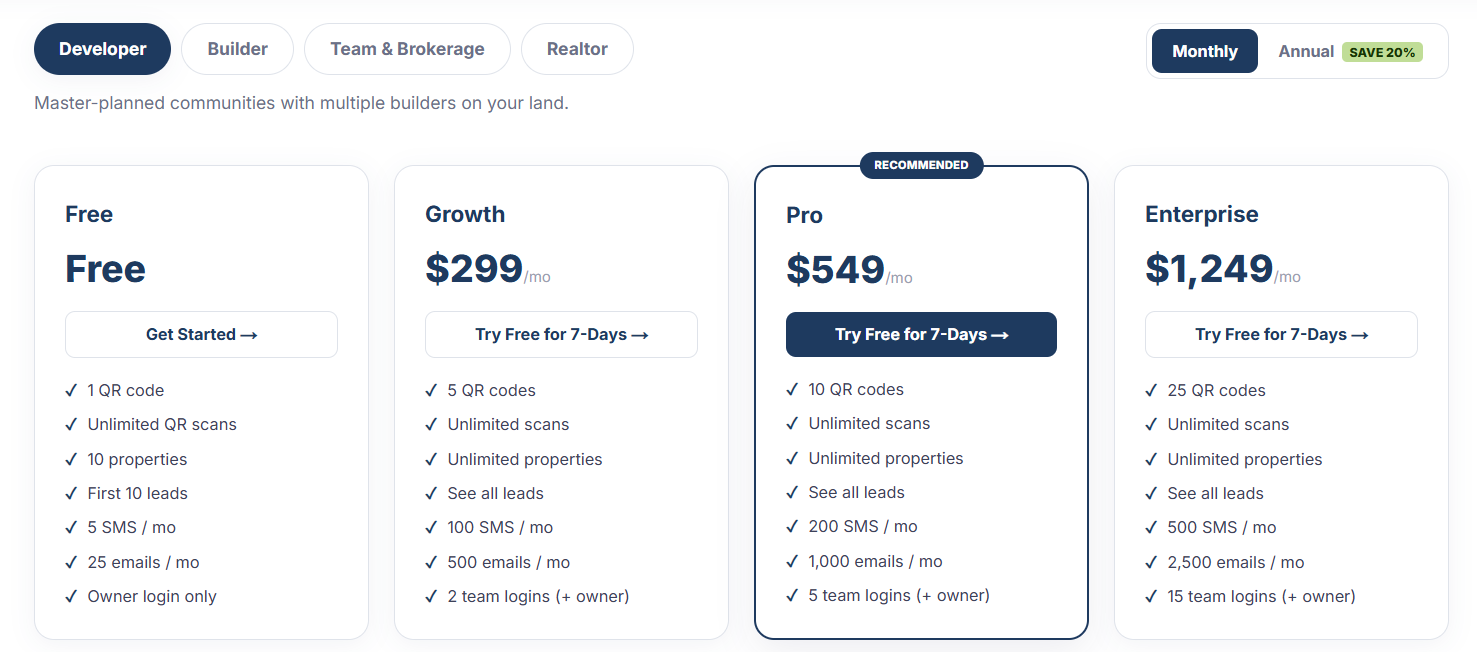
- 1Create your account and choose the account type that matches how you work: Developer, Builder, Realtor, or Team and Brokerage.
- 2Add your inventory under Properties: individual homes, lots, or a whole community.
- 3Generate a QR code for a property, lot, or marketing campaign, then add it to your sign or flyer artwork.
- 4Set up routing rules so new leads reach the right agent, builder, or owner automatically.
- 5Invite your team and assign who receives and follows up on leads.
- 6Print and place your QR signs at each property.
How to use it
- 1When a buyer scans a sign, their interest is captured as a lead in real time.
- 2Your assigned team member gets an SMS and email alert with the buyer and property details.
- 3Work the lead through your pipeline and update its status as you follow up.
- 4Check Analytics to see which signs and properties drive the most engagement.